Assign tasks to departments and staff
Planning tasks according to department, staff and location. Send special requests to the relevant team to the room number.
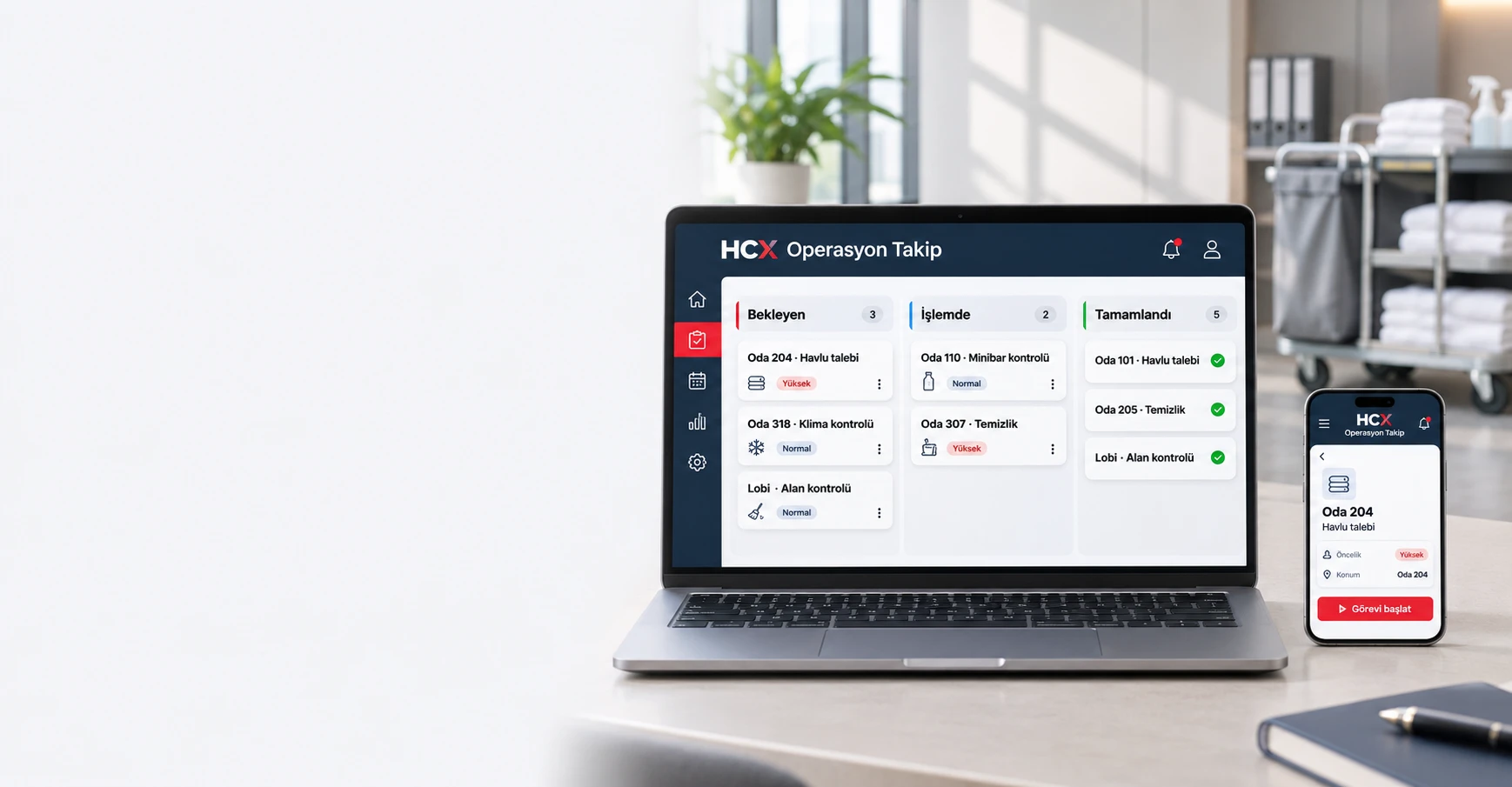
HCX Operations Team for Hotel Teams
Manage guest requests, room tasks and maintenance issues in one workflow. Assign the right team, update tasks from the field and track the outcome.
Complete the request
Floor services, technical service and reception meet in the same process. See the task, the responsible and the current situation together.
Click on the cards to check the details of the task. This field is an example of a design that works with represented data; it does not create a real task or send notifications to staff.
Not at the table, but at work.
The staff can reach the task by phone or tablet. The room number, description and photo must remain in the same record; the situation must be updated when the process begins and is completed.
Climate cooling performance will be controlled.
Filter control is completed.The device is monitored.
The team’s joint work
Combine the information you need from the first record to the completion of the task in the same process.
Planning tasks according to department, staff and location. Send special requests to the relevant team to the room number.
Follow the start and end times, current status and delayed tasks. Check the transaction records along with the task past.
Give the staff the opportunity to add photos and explanations. The situation in the field and the work done meet in the same task record.
Access the task information from the field with the phone and tablet support; share the updates from the point where the work is done.
Please inform staff about push and SMS notifications. Make the task communication between the departments systematic.
Examine staff and department performance, working hours and operating reports from the management look.
The Director’s View
Assess the workload of the departments, open tasks and working hours together. Perceive delayed work; check the performance of the team and staff through records.
The figures are only examples of the design.
One operation, more than one team
Resort, city, chain and boutique hotels; requests and daily tasks for running with more than one team.
Room tasks, textile and cleaning requirements.
Notifications of failure, maintenance and repair work.
The guest requests and the department coordination.
Field controls, tracking and process records.
Interested
Floor services, technical service, reception, maintenance and control-control processes can be used. The guest requests can be assigned to the relevant departments.
Yes . Vehicle use is supported. The staff can update the task status from the field, add photos and descriptions.
Push and SMS notifications can be informed.
Yes . Delayed tasks and task history can be followed along with the start and end times.
Staff and department performance, working hours and operating reports can be examined from the managerial appearance.
REQUEST A DEMO
Leave your contact details and our team will show you how the product can work for your business.
HCX Operasyon Takip