
Manage Your Entire MikroTik Infrastructure from One Platform
All your MikroTik devices in the field, on one screen.
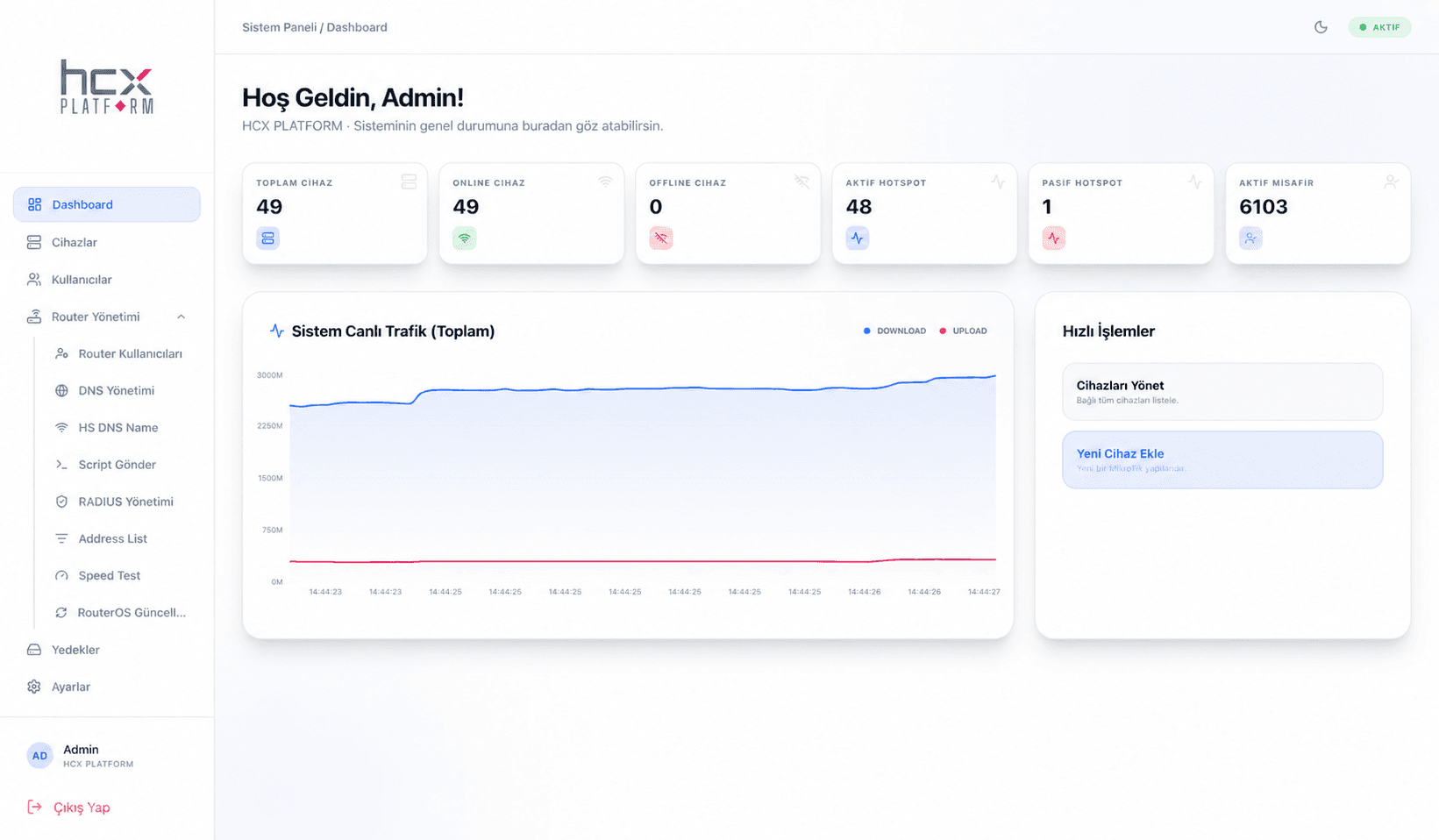
The personal user name in the shown panel has been anonymized as Admin before publishing.
Central MikroTik management
Router management, traffic monitoring, and backups in one operation.
HCX MikroControl brings MikroTik device onboarding, monitoring, management, script execution, and backups into one panel across locations.
Total devices
49
Online devices
49
Active HotSpot
48
Active guests
6103
Router Management
Live traffic
Plain / SSL API connection
MikroTik devices are added to the panel securely through 8728 or 8729.
Bulk actions and commands
Script sending, CSV import, and remote management speed up operations.
Backup and restore
Configuration backups are tracked with version history and restored when needed.
Key Benefits
- Manage all MikroTik devices from a single panel
- Real-time monitoring of traffic, CPU, memory, and uptime
- Configuration backup and restore with version history
- Bulk device import via CSV and bulk command execution
- Email notifications for critical events
Features
Central management
- Manage all MikroTik devices in one panel
- Multi-location structure
- Add, edit, delete devices
- Device grouping
- Tagging
- Search and filtering
Real-time monitoring
- Traffic
- CPU
- Memory
- Connection status
- Online/offline tracking
- Uptime
- Critical performance values
Backup
- Configuration backup
- Restore
- Version history
- Secure data storage
Bulk operations
- Bulk device import via CSV
- Bulk command execution
- Remote reboot
- RouterOS version detection
- Bulk management
Connection types and notifications
- Plain API 8728
- SSL API 8729
- Email notifications
How It Works
- 1
MikroTik devices are added to HCX MikroControl via Plain API (8728) or SSL API (8729); bulk import via CSV is also supported.
- 2
Devices are organized by location, group, and tags.
- 3
Traffic, CPU, memory, connection status, and uptime are monitored in real time.
- 4
Configurations are backed up regularly and can be restored from version history when needed.
- 5
Email notifications are sent when critical performance values are reached.
Use Cases
- Businesses managing a multi-location MikroTik infrastructure from one panel
- IT teams that need RouterOS version tracking and bulk updates
- Organizations that want regular backups against configuration loss
- System integrators and service providers managing many devices
Target Sectors
Frequently Asked Questions
Which notification channels does MikroControl support?
Currently only email notifications are supported. There is no Telegram, SMS, or push notification.
What connection types are available?
Plain API (8728) and SSL API (8729) are supported.
Is bulk device import possible?
Yes. Bulk device import via CSV and bulk command execution are both supported.
How are configuration backups stored?
Configurations are securely backed up and can be restored from version history.
Which businesses is it suitable for?
It suits hotels, hotel chains, malls, hospitals, campuses, factories, enterprises, system integrators, and ISPs.
Get a Quote for This Product
Contact our team with any questions, or request a proposal tailored to your business.